Overview
The Interactive Pedigree Chart is a pedigree chart where the visitor can change the starting person of the chart to anyone visible in the chart including ancestors, spouses, and descendants of the current subject.
The chart shows a subject and three to five generations of ancestors. A list above the subject shows the names of the subject's siblings. A list below the subject shows the names of the subject's partners and children. A visitor may refocus the chart to a new subject by clicking icons in the chart or by clicking the name of a sibling, partner, or child.
There is only one instance of the chart. Items explained below creates links to the chart, and link parameters set the starting person and number of generations. The chart is created solely in the browser via a script. After the page loads, switching to another person is instantaneous. When navigating within a chart, visitors may use their browser's back and forward buttons to retrace their steps.
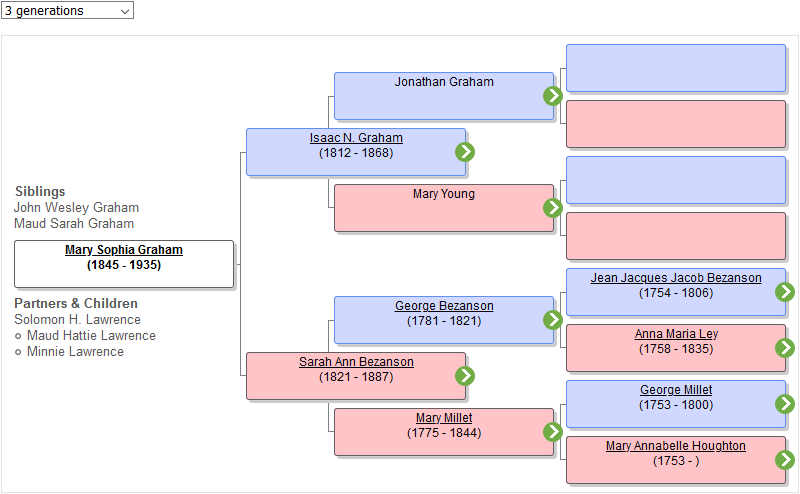
The green arrow icons on the right-hand side of a box refocus the chart to the person in the box.
Adding a Chart
You add an Interactive Pedigree Chart to your site by adding or enabling one of the following two items:
-
Pedigree Link Person Entry Item — This item creates a link to the Interactive Pedigree Chart. You select a starting person and the number of generations to include.
You may include multiple Pedigree Link Person Entry Items in your site.
-
Pedigree Link User Item — This item in the Person Entry list controls whether the Person Entry includes a link to open the interactive pedigree chart with the focus set to the current person.